Complete Guide to Architectural Drawings: Plans, Elevations, Sections & Working Drawings
T
The CADD Studio
The CADD Studio
What Are Architectural Drawings?
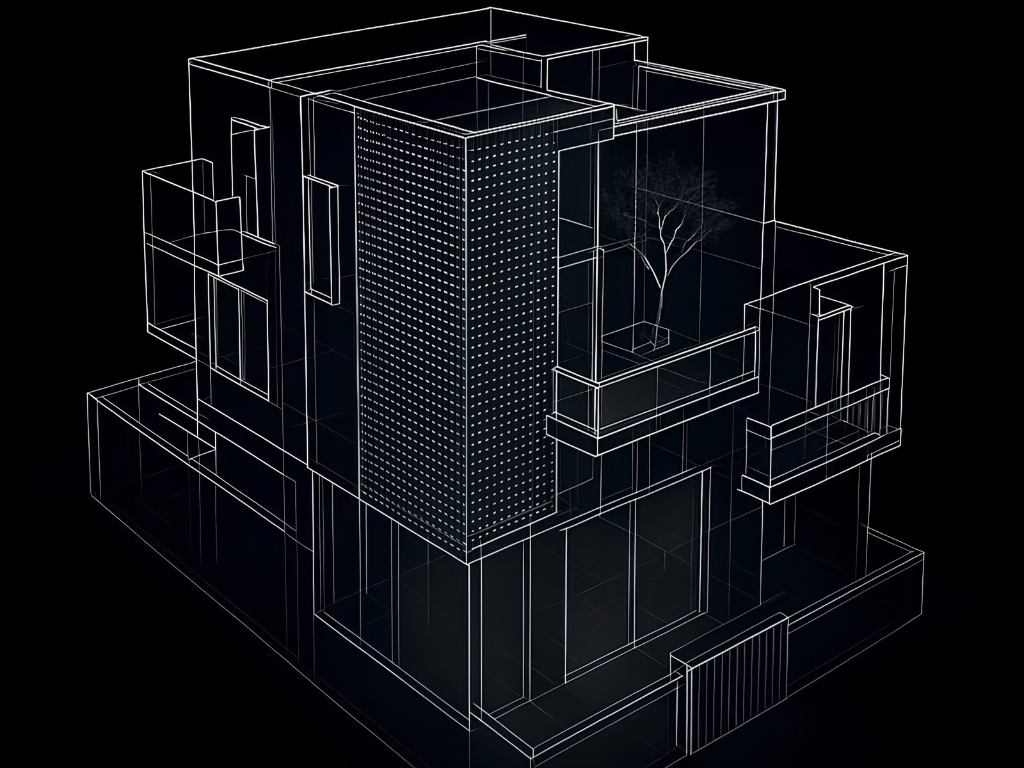
Architectural drawings are technical and visual representations of a building or space. They communicate the design, dimensions, layout, materials, construction details and other information required to understand and execute a project. Architectural drawings can range from simple conceptual sketches to highly detailed construction drawingsAt the early design stage, drawings may communicate the overall concept and arrangement of spaces. As the project progresses, the drawings become more detailed and provide information required by contractors and other professionals involved in construction.Modern architectural drawings are commonly created using CAD and BIM software. Tools such as AutoCAD and Revit allow designers to develop accurate drawings and models that can be used for planning, documentation and coordination.
Why Are Architectural Drawings Important?
A building cannot be successfully constructed based only on an idea or a visual concept. Architectural drawings provide a common reference for the client, architect, engineer, contractor and execution team. They help communicate the size and arrangement of spaces, the location of doors and windows, the relationship between different areas and the technical requirements of the building. Detailed drawings can also help reduce misunderstandings during construction. For example, a contractor needs to know the exact location and dimensions of walls, openings, ceiling levels and other components. Without adequate drawings, decisions may have to be made on site, potentially resulting in errors, delays or rework. Architectural drawings can also support estimation, BOQ preparation, approvals, coordination and construction planning.
Main Types of Architectural Drawings
Different drawings communicate different aspects of a building. The most common types include site plans, floor plans, elevations, sections, working drawings, detail drawings, furniture layouts, reflected ceiling plans and other specialized drawings. Understanding the purpose of each drawing makes it easier to understand how a complete architectural documentation set comes together.
1. Site Plan
A site plan shows the relationship between the proposed building and the surrounding property or site. Depending on the project, it may show the plot boundary, building footprint, access roads, entrances, setbacks, parking areas, landscaping, existing structures and other relevant site information. A site plan is particularly important because a building does not exist in isolation. Its position on the site affects access, circulation, natural light, ventilation, parking and other considerations.
For larger projects, site planning may also involve coordination with civil engineering, infrastructure and landscape requirements.
2. Floor Plan
A floor plan is one of the most important architectural drawings. It represents a horizontal view of a building or floor as if the building were cut through at a particular level and viewed from above. A floor plan can show walls, doors, windows, rooms, furniture, stairs, dimensions and other important elements. For a residential project, a floor plan may identify spaces such as the living room, kitchen, bedrooms, bathrooms, dining area, utility area and balconies. The floor plan allows designers and clients to understand how the spaces are arranged and how people will move through the building.
Why Is a Floor Plan Important?
A well-developed floor plan helps determine whether the available space is being used efficiently. It can reveal problems with circulation, furniture placement, room proportions, access and storage before construction begins. For residential projects, floor planning is particularly important because homeowners need to balance usable space with furniture, storage, natural light and daily movement. For commercial projects, the floor plan can also address workstations, circulation, meeting spaces, service areas and other functional requirements.
3. Elevation Drawing
An elevation drawing represents the vertical appearance of a building or one of its sides. Unlike a floor plan, which shows the building from above, an elevation shows what the building looks like from a particular direction. Architectural elevations can communicate the position of windows and doors, façade elements, materials, floor levels, roof lines and other exterior features. Interior elevations can also be prepared to show walls, furniture, cabinetry, finishes and other interior elements. Elevation drawings are particularly useful for understanding the appearance and vertical relationships of a building.
4. Section Drawing
A section drawing shows what a building looks like when it is conceptually cut vertically. Sections help communicate information that cannot be fully understood from a floor plan or elevation. A section can show floor-to-floor heights, ceiling levels, slab thicknesses, staircases, roof construction, foundations and the vertical relationship between different elements. Sections are particularly important when a building contains different levels, complex ceiling conditions, stairs or other vertical elements.
Floor Plan vs Elevation vs Section
The three drawings communicate different types of information. A floor plan primarily explains the horizontal arrangement of spaces. An elevation explains the vertical appearance of a building or wall. A section explains the vertical construction and relationship between building elements. Together, these drawings provide a much more complete understanding of the building.
5. Working Drawings
Working drawings are detailed technical drawings prepared to provide the information necessary for construction and execution. They go beyond simply showing what a building should look like. Working drawings can communicate dimensions, materials, levels, construction details, joinery, finishes and other information required by the execution team. Depending on the project, a working drawing set can include detailed floor plans, elevations, sections, door and window schedules, staircase details, toilet details, kitchen details, furniture drawings, ceiling plans and other specialized drawings. The exact contents depend on the project's size and requirements.
Why Are Working Drawings Important?
A concept design may communicate the overall appearance of a building, but it may not provide enough information to construct every element accurately. Working drawings bridge this gap. For example, a 3D visualization may show the appearance of a kitchen, but a contractor needs detailed dimensions, cabinet layouts, materials, hardware specifications and construction details to build it. Working drawings provide this technical information.
6. Detailed Drawings
Some elements of a building require drawings at a larger scale to communicate construction details. These are commonly referred to as detail drawings. Examples may include wall sections, staircase details, window details, door details, façade details, junction details and furniture or joinery details. The purpose is to provide additional information about areas that cannot be adequately explained in a general floor plan or elevation.
7. Furniture Layout
Furniture layouts are particularly useful for residential and interior design projects. They show the proposed arrangement of furniture within a space and help designers evaluate circulation, functionality and space utilization. A furniture layout may include beds, sofas, dining tables, wardrobes, study tables, TV units and other furniture. For compact apartments, furniture planning can be especially important because poorly positioned furniture can make an otherwise functional space feel crowded.
8. Reflected Ceiling Plan
A reflected ceiling plan, commonly called an RCP, represents the ceiling from a reflected or overhead perspective. It can show ceiling levels, false ceiling patterns, lighting fixtures, fans, air-conditioning elements, access panels and other ceiling-related components. A reflected ceiling plan helps coordinate interior design with electrical and MEP requirements. For modern residential interiors, it can be particularly useful when the ceiling design includes multiple lighting types or detailed false ceiling elements.
9. Electrical Layout
An electrical layout communicates the planned location of electrical points. Depending on the project, it can show switchboards, lighting points, sockets, appliance points, data points and other electrical requirements. The electrical layout should be coordinated with the furniture and architectural layout. For example, a socket behind a fixed wardrobe or an incorrectly positioned switch can create practical problems after construction.
10. Plumbing Layout
A plumbing layout communicates the location of plumbing fixtures and relevant connections. In residential projects, this can include kitchen sinks, bathroom fixtures, drainage points and water supply points. Plumbing layouts should be coordinated with architectural and civil drawings to reduce conflicts during construction.
11. Door and Window Schedule
Door and window schedules provide information about the different openings within a building. A schedule may identify the opening type, dimensions, material, quantity and other relevant specifications. Schedules make it easier for contractors and suppliers to understand the requirements without having to interpret every opening individually from the floor plans.
What Information Should an Architectural Drawing Include?
The exact information depends on the type of drawing, but technical architectural drawings commonly include dimensions, levels, annotations, room names, material references, drawing titles, drawing numbers and other project information. Dimensions are particularly important because they communicate the actual size and location of elements. Annotations can provide additional instructions or references that may not be obvious from the geometry alone. A well-organized drawing should also have a clear title block containing relevant project and drawing information.
Architectural Drawing Scales
Architectural drawings are produced at different scales depending on their purpose. A general floor plan may be drawn at one scale, while a detailed construction junction may require a larger scale to communicate smaller components. Common drawing scales can include 1:100, 1:50, 1:20 and 1:10, although the appropriate scale depends on the type of drawing and level of detail required. The purpose of selecting a suitable scale is to ensure that the drawing contains enough information while remaining readable.
CAD in Architectural Drawing
Computer-Aided Design, or CAD, has become an essential part of architectural documentation. Software such as AutoCAD allows designers to create accurate 2D architectural drawings with dimensions, layers, annotations and other technical information. CAD can be used for floor plans, elevations, sections, furniture layouts, electrical drawings, ceiling plans and detailed working drawings. One of the major advantages of CAD is precision. Designers can create drawings with accurate dimensions and modify them efficiently as the project develops. CAD also makes it easier to maintain organized drawing files and produce multiple versions of a project.
BIM and Architectural Drawings
BIM introduces another approach to architectural documentation. With BIM software such as Revit, architects can create a digital building model from which multiple drawings and views can be generated. Instead of creating every drawing as an independent 2D representation, the drawings can be connected to the underlying building model. For example, a change to a wall in the BIM model can be reflected in relevant plans, elevations and sections depending on how the project has been configured. This can improve consistency and reduce repetitive drafting in larger projects. BIM can also support coordination between architecture, structural engineering and MEP systems.
Architectural Drawings vs 3D Visualization
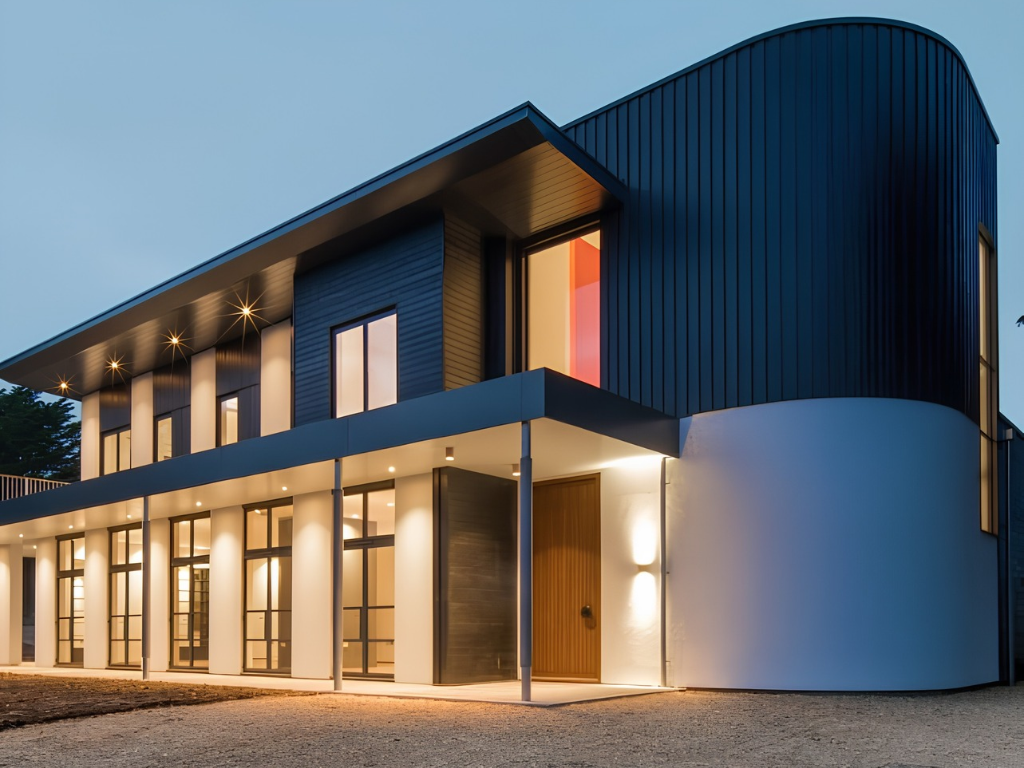
Architectural drawings and 3D visualizations serve different purposes. A 3D visualization is primarily used to communicate how a space or building may look. It can show materials, colours, lighting, furniture and overall design intent in a visually realistic way. Architectural drawings, on the other hand, provide technical information required for planning and construction. A beautiful 3D render may help a client understand the appearance of a building, but it cannot replace the technical information contained in working drawings. Both can therefore be valuable parts of the design process.
How Architectural Drawings Support BOQ and Estimation
Architectural drawings also play an important role in quantity estimation and BOQ preparation. Dimensions, layouts, material specifications and areas shown in the drawings can provide information required to calculate quantities. For example, floor plans and elevations can help determine areas of flooring, walls, ceilings and other components. Detailed drawings can also clarify the materials and specifications that need to be included in an estimate. A well-coordinated drawing set therefore provides an important foundation for accurate estimation and costing.
Architectural Drawings for Interior Design
Architectural drawings are not limited to building construction. They are also essential for interior design projects. An interior project may require furniture layouts, partition drawings, ceiling plans, electrical layouts, flooring layouts, wall elevations, kitchen drawings, wardrobe drawings and detailed joinery drawings. These drawings allow the interior design to be translated from a concept into an executable project. For a 1 BHK, 2 BHK or 3 BHK apartment, proper drawings can help coordinate space planning, furniture, storage, electrical points and finishes.
Common Mistakes in Architectural Drawings
One common mistake is using inaccurate site measurements. If the base measurements are incorrect, subsequent plans, elevations and details can also become inaccurate. Another issue is inconsistency between drawings. For example, a door may appear in one location on the floor plan but be shown differently in an elevation. Poor dimensioning can create another problem. Contractors need clear dimensions to execute the design accurately. Incomplete coordination between architectural, structural and MEP drawings can also result in conflicts during construction. Finally, drawings should be properly reviewed before they are issued for construction.
How to Ensure Accurate Architectural Drawings
The first step is accurate site measurement and documentation. The next step is establishing a clear design and drawing standard. All drawings should use consistent dimensions, layers, annotations, symbols and naming conventions. The architectural team should also coordinate with structural, electrical, plumbing and other consultants where required. Before construction, drawings should be reviewed carefully to identify discrepancies and missing information. For larger projects, BIM coordination can provide an additional layer of review by allowing different disciplines to be coordinated through digital models.
Architectural Drawing Process: From Concept to Construction
The architectural drawing process generally begins with understanding the client's requirements and studying the site. The designer then develops the initial concept and space planning. Once the layout is approved, more detailed floor plans, elevations and sections are developed. The project then moves into detailed design and working drawings. Depending on the project, structural and MEP requirements are coordinated with the architectural drawings. Finally, the drawings are reviewed, updated and issued for construction. The process can vary significantly depending on project type and scale.
Why Choose The CADD Studio for Architectural Drawings?
The CADD Studio provides architectural design and technical drawing services for residential, commercial and other project requirements. Our capabilities include architectural planning, CAD drafting, floor plans, elevations, sections, working drawings, space planning, 3D visualization, BIM modelling, BOQ and estimation. We work with industry-standard software including AutoCAD, Revit, SketchUp, V-Ray, D5 Render, Lumion and Enscape, depending on the requirements of each project. Our approach combines design understanding with technical documentation so that the drawings are not only visually clear but also practical for execution. Whether you need an architectural floor plan, detailed working drawings, CAD drafting, BIM modelling or 3D visualization, the documentation can be developed according to the requirements of your project.
Frequently Asked Questions About Architectural Drawings
What are the main types of architectural drawings?
The main types include site plans, floor plans, elevations, sections, working drawings, detail drawings, furniture layouts, reflected ceiling plans, electrical layouts and other specialized drawings.
What is the difference between a floor plan and an elevation?
A floor plan shows the horizontal arrangement of spaces from above, while an elevation shows the vertical appearance of a building or wall from a particular direction.
What is a section drawing in architecture?
A section drawing represents a vertical cut through a building. It helps show floor levels, ceiling heights, structural elements, stairs, roof construction and other vertical relationships.
What are working drawings?
Working drawings are detailed technical drawings prepared to provide the information required for construction and execution. They can include dimensions, materials, levels, details and other technical information.
Is AutoCAD used for architectural drawings?
Yes. AutoCAD is widely used for creating architectural plans, elevations, sections, details, layouts and working drawings.
Is Revit better than AutoCAD for architecture?
AutoCAD and Revit serve different purposes. AutoCAD is widely used for precise 2D drafting and documentation, while Revit is designed around BIM and model-based architectural documentation. The appropriate software depends on the project.
Are 3D renders necessary for architectural projects?
3D renders are not always necessary, but they can be extremely useful for communicating design intent, materials, colours, lighting and the overall appearance of a building or interior.
Can architectural drawings be used for BOQ and estimation?
Yes. Architectural drawings can provide important information about dimensions, areas, materials and specifications required for quantity estimation and BOQ preparation.
Conclusion
Architectural drawings are an essential part of the design and construction process. From the initial site plan and floor plan to elevations, sections, working drawings and detailed construction documentation, each drawing communicates a different part of the project. Accurate architectural drawings help clients understand the design, allow contractors to execute the work correctly and provide a foundation for coordination, estimation and construction planning. CAD software such as AutoCAD continues to be widely used for architectural drafting and technical documentation, while BIM platforms such as Revit provide a model-based approach that can support multidisciplinary coordination and information management. For residential interiors, architecture, civil engineering and larger construction projects, selecting the appropriate drawing and documentation workflow is important for achieving accurate and efficient project execution. At The CADD Studio, we provide architectural design, CAD drafting, working drawings, BIM modelling, space planning, 3D visualization, BOQ and estimation services to support projects from concept through technical documentation and execution. Need architectural plans, elevations, sections or working drawings for your project? Contact The CADD Studio to discuss your requirements.